
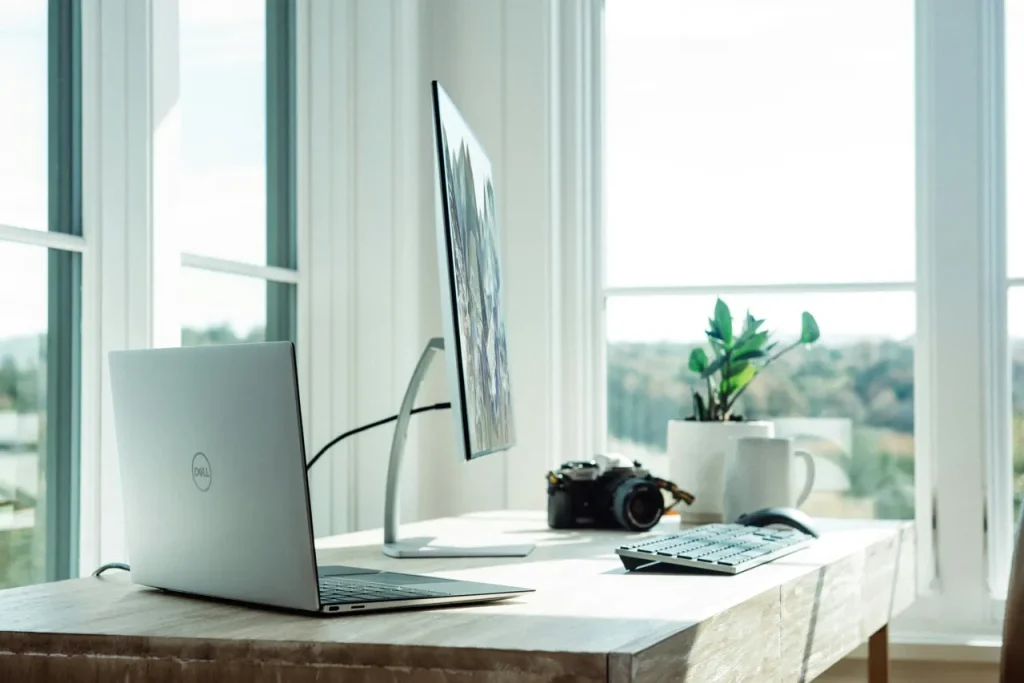
Remote work has evolved from a temporary solution into an enduring element of the modern professional world. While many professionals initially settled for any available surface to place their laptop during the sudden shift, creating a proper home workspace can be more comfortable. The environment where work takes place profoundly influences productivity levels and mental focus.
If you’re working from home, here are five ways you could create a workspace.
1. Designating a Specific Area for Work Activities
A foundation of an effective home workspace begins with deciding where the work area will be. A dedicated area for work-related activities triggers the mind to shift into a professional mindset. This transformation doesn’t necessarily require an entire room, although having one brings notable advantages. A well-planned corner can serve as a legitimate workspace when someone uses it consistently and arranges it thoughtfully. The strategic placement of a workspace carries more weight than its dimensions. Several factors shape the ideal location, including access to natural light, proximity to electrical outlets, and separation from household distractions. Window-adjacent spots often prove ideal, as natural daylight enhances mood and reduces eye strain during extended periods of computer work.
2. Optimizing Natural and Artificial Lighting
The impact of lighting becomes apparent when someone spends time working under poor conditions. Light quality and quantity in a workspace directly affect energy levels, visual comfort, and productivity throughout the day. Natural light remains the most beneficial option, as it helps regulate circadian rhythms, enhances emotional well-being, and causes less visual fatigue than artificial alternatives. Placing a desk at a right angle to windows allows people to benefit from natural light while avoiding screen glare that leads to constant squinting. For homes with older windows that limit natural light penetration, window replacement in Virginia, or in your local area, might be considered. Artificial lighting may become essential during cloudy days or evening work sessions. Task lighting, particularly adjustable desk lamps, provides focused illumination for detailed work while preventing unnecessary eye strain. Ambient lighting helps eliminate harsh contrasts between bright screens and dark surroundings that can tire the eyes.
3. Investing in Good Furniture and Equipment
Physical comfort becomes essential when long hours accumulate in the same chair, at the same desk, facing the same screen. The quality of furniture supporting the body throughout work hours significantly influences sustained productivity levels and overall physical well-being. Time spent in poorly designed chairs or at improperly positioned desks gradually leads to physical strain that can develop into lasting discomfort. An ergonomic chair featuring adjustable height settings, substantial lumbar support, and well-designed armrests allows the spine to maintain its natural alignment while distributing pressure evenly across the back, neck, and shoulder regions. The positioning of the desk and monitor plays an equally vital role as the chair selection in maintaining physical comfort. Computer screens function best when positioned at arm’s length. The placement of keyboards and mice should allow natural arm positioning with elbows resting during typing activities. Adjustable standing desk converters or complete standing desk solutions introduce valuable flexibility into the workday, allowing smooth transitions between sitting and standing positions.
4. Minimizing Distractions Through Thoughtful Organization
A cluttered environment creates mental interference that hampers productivity. Workspaces overwhelmed by paper stacks, disorganized cables, and randomly placed items across surfaces could make concentration an ongoing challenge. The implementation of thoughtful organizational systems transforms chaotic spaces into environments where focus flows naturally and work efficiency improves. Well-chosen storage solutions, appropriate filing systems, desk organization tools, and strategic shelving arrangements keep essential items accessible while maintaining visual harmony.
5. Personalizing the Space to Enhance Motivation and Comfort
While functionality forms a foundation of workspace design, personal elements transform it into an environment worth occupying throughout the workday. The addition of meaningful personal touches elevates a basic workspace into an inspiring environment. These personal elements create spaces that feel welcoming and energizing rather than sterile and impersonal. Thoughtfully selected artwork, living plants, or meaningful objects enhance the visual appeal of the space while maintaining professional functionality.
Conclusion
The creation of an effective home workspace involves several different elements. As remote work continues to shape professional practices, creating supportive home workspaces grows.