
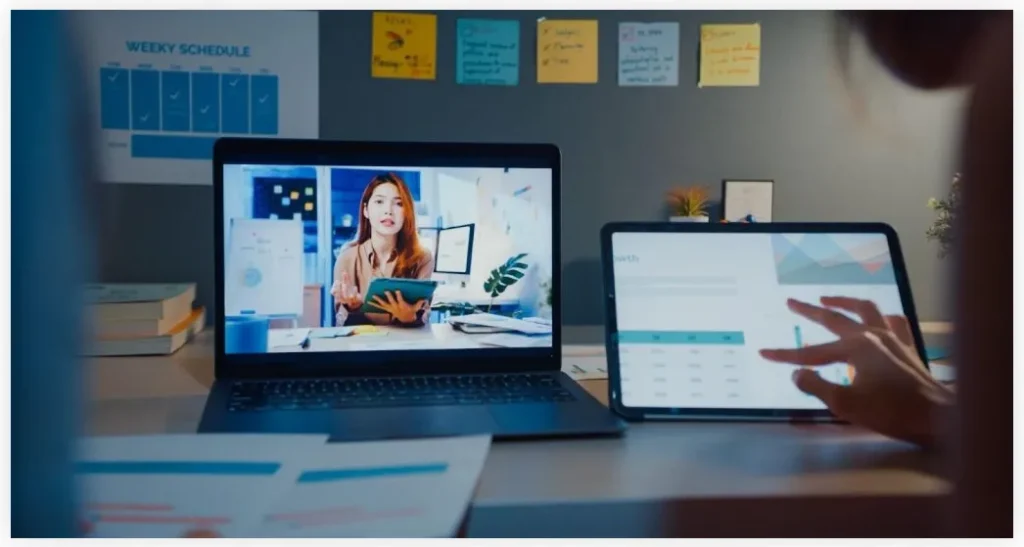
Remote and hybrid learning have become the norm in schools. These methods integrate online classes with conventional classroom instruction. Students are able to get classes at home or visit the school. The technology required in this setup is developed by the education portal development services. They develop systems that connect teachers, students, and school staff.
Such systems are video tools, homework features, messaging options, tests, and tracking systems. These learning methods are enhanced with strong portals. They reduce technology issues and help students learn more effectively. This article describes the use of portal services to support hybrid and distance learning. You will observe what is available, what benefits it will provide, what the issues are and what to do.
What Are Hybrid and Remote Learning Models?
Remote learning means all teaching happens through the internet. Teachers and students use computers to connect instead of meeting face to face.
Hybrid learning combines internet classes with regular classroom time. Students go to school on some days and log in from home on other days.
Schools use these methods to fit different student situations, health concerns, or location problems. Education portal development services create the technology platforms needed for both approaches.
Why Schools Adopt Hybrid and Remote Models
Schools pick these teaching methods for several reasons:
- Flexibility: Learning continues even when students are unable to access school buildings.
- Accessibility: Students living far away or those with mobility challenges can participate more effectively.
- Safety: Online alternatives reduce health risks in case of disease outbreaks.
- Continuity: When schools are forced to close their buildings, education does not come to a halt.
- Customization: Students can complete online lessons at their own pace.
What Are Education Portal Development Services?
The development of education portal involves the development of internet or phone based learning platforms. These services provide:
- System structure and layout
- Course organization features
- Video broadcast and live session tools
- Homework, test, and scoring functions
- Different access levels (teacher, student, administrator)
- Talk features (messaging, discussion boards)
- Data collection and reports
- Phone and tablet compatibility
Portal creators make sure platforms stay safe, can grow, and work simply. They connect portals to other school systems (libraries, student records, etc.).
These services matter greatly. Without them, hybrid and remote teaching becomes messy and wasteful.
How Portals Support Remote Learning
A good portal makes remote education effective. Here are the ways:
Live And Recorded Classes
Portals run live video sessions. They save recordings for later viewing. This helps students in other time zones or those with slow internet connections.
Assignments And Quizzes
Teachers post homework or tests online. Students submit assignments online. Some formats (such as multiple choice questions) are automatically graded on the portal. This saves on work and keeps track of student performance.
Discussion, Chat, And Forums
Portals provide a message or discussion space. Students ask questions, discuss lessons, and assist colleagues. These conversations are monitored and guided by teachers.
Progress Tracking And Analytics
Portals receive information: upon logging in, test results, completed lessons. Report checks are done by teachers or administrators. They recognize the struggling students and contact them without delay.
Resource Repository
Teachers post learning content: videos, documents, presentations. Students find everything in a single location. This prevents lost or scattered files.
Mobile Support
Many students work on phones or tablets. Portals need to function well on mobile devices. Mobile applications let students study anywhere.
These features make remote learning organized and workable.
How Portals Support Hybrid Learning
Hybrid teaching needs coordination between online and classroom activities. Portals assist in these areas:
Blended Scheduling
Portals manage class calendars showing which days happen in person and which occur online. Students check their weekly schedules through the system.
Hybrid Attendance
The portal records attendance for both classroom and virtual sessions. Teachers mark who attends through the platform, so records stay accurate.
Seamless Switching
Portals allow teachers to switch to all-online courses in a short period when classes must switch format (due to weather or other reasons).
Flipped Classroom Support
Teachers assign online content covering basic material before class meetings. Classroom time then focuses on discussion and activities. Portals store this content and track who finishes it.
Integration With Classroom Tools
Portals link to smart boards, computer labs, or school digital systems. This keeps online and offline activities connected.
Parent And Guardian Access
Portals can give parents viewing rights. Guardians check schedules, absences, and grades. They know what happens in both in-person and online classes.
This support keeps hybrid learning unified. Students get consistent experiences across different formats.
Key Features to Include in an Education Portal
A portal needs these features to handle hybrid and remote teaching:
- User roles & permissions — control what students, teachers and administrators can view and change.
- Video integration — enable live sessions and saved recordings.
- Assignment & assessment engine — build, submit, grade and provide feedback.
- Discussion forums/chat — enable talking and group learning.
- Analytics & reporting — show dashboards for results and advancement.
- Scheduler & calendar — organize hybrid and online sessions.
- Notifications & alerts — tell students about due dates and classes.
- Content library — hold and deliver learning materials.
- Mobile compatibility — function properly on phones and tablets.
- Security & compliance — protect data privacy and verify users.
A portal with these capabilities will handle both teaching models effectively.
Benefits of Using Education Portal Development
Schools and colleges gain these advantages from good portals:
- Better organization: Everything sits in one central spot for learning materials and work.
- Improved student engagement: Students join discussions, view schedules, and receive reminders.
- Data driven insight: Teachers use reports to find students who need help and fix learning gaps.
- Scalability: A portal works for many users and expands with the school.
- Cost efficiency: Cuts spending on printing, manual record keeping, and overhead costs.
- Flexibility: Enables quick changes between online and classroom modes when necessary.
- Consistency: Students receive identical experiences and materials, whether learning remotely or in person.
These advantages justify spending money on portal creation.
Challenges and How Portals Help Overcome Them
Hybrid and remote teaching face certain difficulties. Portals can reduce these problems.
Digital Divide
Not every student owns reliable internet or computers. Portals can offer low bandwidth versions (text, audio only), downloaded content, and mobile options.
Teacher Training
Many teachers lack experience with online technology. Portal services usually include training lessons, instructions, and help.
Student Motivation
Remote classes can lower participation. Portals encourage interaction (discussion boards, team projects) and send reminders to maintain activity.
Assessment Integrity
Cheating worries people in online testing. Portals can use time limits, random questions, monitoring tools, and copying detection.
Technical Issues
Portals must work reliably with backup systems and problem resistance. Strong infrastructure and support teams prevent shutdowns.
Change Management
Schools sometimes fight new methods. Portal services help through gradual introduction, user input, and assistance.
These difficulties exist, but a properly built portal provides answers that improve hybrid and remote education.
Best Practices When Developing Education Portals
Follow these steps to create a successful portal:
- Start with clear requirements. Learn what teachers, students, and administrators require.
- Use modular design. Add features step by step and test each part.
- Ensure high performance. Speed counts because delays frustrate users.
- Design an intuitive user interface. Young or new users should move through it easily.
- Plan data security and privacy from day one. Follow U.S. regulations like FERPA.
- Provide training and documentation. Teachers and students need to understand it quickly.
- Gather feedback and work on it. Make features better based on actual usage.
- Build for scalability from the start. Prepare for increases in users and demand.
- Offer offline or low bandwidth modes. Let people access content with a weak internet.
Following these steps increases acceptance and reduces problems.
Conclusion
Education portal development services serve a critical function in making hybrid and remote learning models work well. They build platforms containing classes, homework, communication, reports, and scheduling. These portals deliver structure and adaptability. They help schools adjust to interruptions and serve different student requirements.
When portals use proven methods, they solve problems with internet access, training, and participation. In modern education, every school that wants to run hybrid or remote programs requires a strong portal.