

Ever thought about what happens after someone buys from your store? Most people don’t. You work so hard on the homepage. The product pages. Even the checkout. But then—the last step—the thank you page—it’s just plain. Boring. A simple “Your order has been received.” And that’s it.
Feels like a wasted chance, right?
That page is the first thing your customer sees after handing you their money. They’re happy. Excited. Paying attention. This is when you can do more. You can strengthen trust. Sell more. Keep them engaged. And the good news—you don’t need to code anything. You need the right approach.
Why the Thank You Page is a Big Deal
Think about it. A customer has just clicked “Place Order.” Their mood? Positive. Their guard? Down. This is your golden window.
The default thank you page in WooCommerce? It works. But it’s cold. Just order details. Numbers. Dates. Payment method. Done.
But imagine something else. A page with your brand colors. A personal note that says “Thank you, Sarah! Your order is confirmed.” Maybe a coupon for the next buy. Or even suggestions for products that match what they just bought.
That’s not just a page. That’s smart marketing.
What the Default Page Looks Like
Let’s not hate on WooCommerce. Out of the box, it gives you a functional page. Customers see:
- Order number.
- Date.
- Billing details.
- Items purchased.
- Payment info.
Clear? Yes. Exciting? No. Customers might close the tab. No extra engagement. No second thought. Just done.
That’s why you need to level it up.
Benefits of Customizing Without Coding
Here’s the best part: you don’t need to be a developer. Plugins do the heavy lifting. And they open doors to things like:
- Stronger Branding – Add logos, banners, and colors. Make it yours.
- Extra Sales – Show related products. Upsell without being pushy.
- More Engagement – Add a survey. Newsletter sign-up. Or even a video.
- Social Proof – Let them share their purchase on Facebook, Instagram, and Twitter.
- Better Communication – Tell them what’s next. Shipping updates. Delivery timeline.
All of this, without touching code.
4 Plugins That Do the Magic
So, how do you get this done? Simple. Pick the right plugin. Let’s look at a few:
1. WooCommerce Custom Thank You Pages
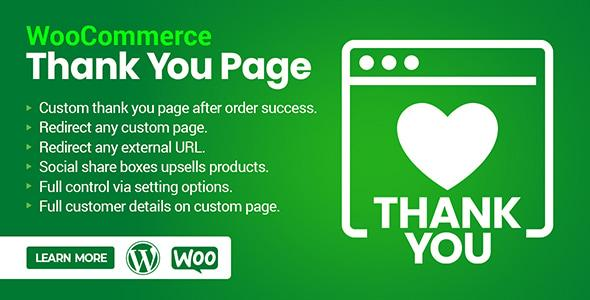
This one lets you create unique thank you pages depending on what the customer buys. For example, buy a digital product? Land on a page with download links. Buy a physical item? Get a page with shipping info.
Smart. Practical.
2. WooCommerce Thank You Page Customizer (by VillaTheme)
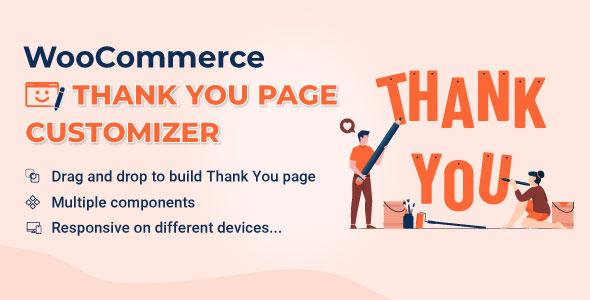
Drag-and-drop. No coding. Add banners. Text blocks. Coupons. Play around with the design until it feels right. Super beginner-friendly.
3. NextMove Lite by XLPlugins
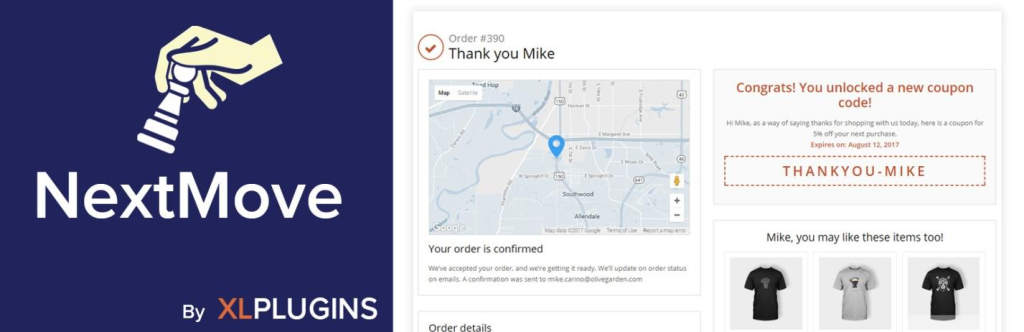
This free tool is solid. It gives you ready-made modules—order summary, social share buttons, related products, even special offers. The premium version goes bigger. Countdown timers. Personalized messages. The works.
4. YITH Custom Thank You Page for WooCommerce
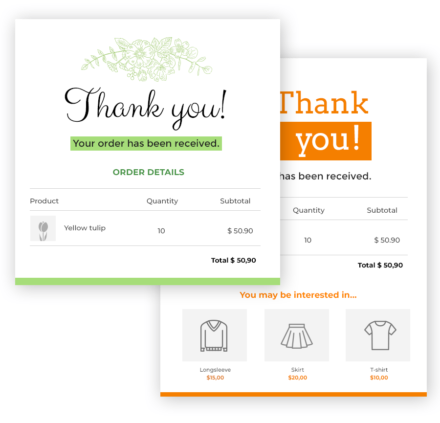
If you’ve used YITH before, you know their stuff is reliable. This plugin lets you design clean layouts. You can add custom text, links, or even track actions customers take on the page.
Each of these is easy to use. Each one makes your thank you page work harder for your store.
What You Can Add to a Thank You Page
Let’s get creative. Here are some things that make your thank you page pop:
- Personal Message – Not just “Thanks.” Something warm. With their name. Feels human.
- Order Summary – Clear breakdown. What they bought. How much. Delivery method.
- Product Suggestions – Upsell or cross-sell. A little nudge. “You may also like…”
- Coupons – 10% off their next order. Works like magic for repeat sales.
- Social Buttons – Let them show off their new buy on social media.
- Helpful Links – Direct them to FAQs, support, or shipping policies.
- Loyalty Program Invite – Hook them in early. Rewards, points, bonuses.
- Your Brand Story – Remind them who you are. Why do you do what you do?
Simple additions. Big results.
How to Do It – Step by Step
Here’s the no-code process. Easy to follow:
Step 1: Install a Plugin
Pick one from the list above. Install. Activate. Done.
Step 2: Pick a Layout
Most plugins give templates. Choose one. It saves time. Keep your brand consistent.
Step 3: Add Your Branding
Logo. Colors. Fonts. Banner image. Make it feel like an extension of your store.
Step 4: Add Dynamic Info
Order details. Customer’s name. Payment info. Let the plugin auto-fill.
Step 5: Drop in Calls-to-Action
Want them to shop again? Leave a review? Share on social? Pick one or two CTAs. Don’t crowd it.
Step 6: Test It Out
Place a dummy order. See how it looks. Adjust what doesn’t feel right.
That’s it. No coding. No stress.
Best Practices to Follow
A few golden rules when designing your page:
- Keep It Clean – Don’t overwhelm them with info.
- Highlight the Essentials – Order details should stand out.
- Add Value – Coupons. Suggestions. But don’t force it.
- Think Mobile – Most people shop on phones. Check how it looks there.
- Track It – Use analytics. See what’s working.
Mistakes You Don’t Want to Make
Some store owners get carried away. Don’t fall into these traps:
- Endless upsells. Feels pushy. Customers run.
- Flashy designs. Too loud. Looks scammy.
- Ignoring mobile users. A messy page on phones = lost sales.
- Forgetting personalization. “Dear customer” is boring.
- Skipping testing. Always test. Different devices. Different browsers.
Avoid these. Please keep it simple. Play smart.
Real-Life Scenarios
- A digital product store. The customer buys an eBook. Instead of a plain thank you, they land on a page with a warm note. “Thanks, Emma! Your book is ready. Download it here.” Plus, a video showing how to use the material.
- A clothing shop. The customer buys a dress. Thank you, the page shows belts and shoes that match. A discount code pops up for accessories. Tempting, right?
- A subscription box service. New subscribers land on a page with a short welcome video. It explains what’s next. When to expect the first box. Excitement builds.
- A local bakery. The customer orders cupcakes. The thank you page shows pickup hours. A map. And a “Share your order on Instagram” button. Cute. Effective.
- This is how you turn a plain receipt page into a business tool.
Future of Thank You Pages
E-commerce is growing. Customers expect more. And the thank you page? It’s no longer just a receipt. It’s becoming a conversion hub.
Soon, you’ll see AI-driven thank you pages. They’ll recommend products based on browsing behavior. They’ll personalize offers in real time. They’ll even connect to loyalty systems automatically.
But even today, plugins give you enough power. Enough to turn your thank you page into a strong marketing piece. No coding needed.
Conclusion
Here’s the truth: the thank you page is underrated. Most store owners don’t touch it. But you know better now. It’s not just a confirmation screen—it’s a chance. A chance to build trust. An opportunity to upsell. An opportunity to connect.
You don’t need coding skills. Plugins make it easy. Add branding. Add upsells. Add social sharing. Please keep it clean. Test it often.
Do it right, and your customers won’t just see a “thank you.” They’ll feel valued. They’ll find reasons to come back. And that’s what every store owner wants.
So, go ahead. Customize that WooCommerce Thank You Page. Make it work for you. And watch how it changes the way your customers see your brand.